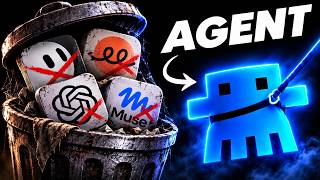
Actually: Agents use a thinking loop for autonomy. Hybrid models are cheaper; costs range from hundreds to thousands of rubles.
🔎 What’s inside
⚡ The gist in 30 seconds
- An AI agent is defined by its ability to act autonomously; unlike a chatbot that waits for user input, an agent decides its own next steps to reach a specific goal.
- Every agent consists of four parts: the 'brain' (LLM), 'hands' (tools like web search or CRM access), a clearly defined goal, and a cycle of thinking and checking.
- For most business processes, a hybrid model is best: use rigid automated scenarios for predictable steps and agents only for tasks requiring text understanding.
- Agents are more expensive and slower than traditional automation because they re-read the entire task history at every step of their internal loop.
- Safety is paramount: agents should operate with 'least privilege' access and require human confirmation for irreversible actions like payments or deletions.
⏱ Key moments click — the video jumps there
💰 Numbers
| Agent coding usage | 40 hours over 25 days (author's claim) |
| Estimated agent cost | Hundreds to thousands of rubles/month (author's claim) |
| Safety rules | 5 essential rules (shown on screen) |
🛠 Tools from the video
🚀 How to apply it in your business
- Audit your current business processes to find tasks that require 'thinking' rather than just 'following steps'.
- Start with a no-code agent in Claude Projects or Custom GPTs to test the logic of a task before automating it.
- Use n8n to create a hybrid workflow where a rigid scenario handles the data flow and an agent handles the decision points.
- Implement a 'human-in-the-loop' confirmation step for any agent action that interacts with customers or finances.
- Set strict token and step limits in your agent's API settings to prevent unexpected costs from infinite loops.
Who will this analysis save an hour?We’ll send the link with the “actually” takeaway — they won’t have to watch the whole video.
🎯 Who it’s for
❓ Questions and answers
How is an AI agent different from a standard chatbot?
A chatbot is reactive; it waits for you to ask a question and then stops. An AI agent is proactive; you give it a goal, and it autonomously chooses which tools to use and which steps to take until the goal is achieved.
Should I use an AI agent for all my business automation?
No. Agents are slower, more expensive, and less predictable than traditional automation. Use rigid 'scenarios' for tasks that follow the same steps every time, and only use agents for tasks that require text analysis or flexible decision-making.
What are the risks of using AI agents in business?
The main risks include high costs from infinite loops, 'hallucinations' leading to incorrect actions (like sending a wrong email), and security vulnerabilities like prompt injections where external text tricks the agent into leaking data.
Can I build an AI agent without coding skills?
Yes. Tools like Claude Projects, Custom GPTs, and Yandex AI Studio allow you to build agents by simply writing instructions in plain language and uploading relevant files or connecting basic tools.
What is the best way to connect an agent to my company data?
The video recommends using the MCP (Model Context Protocol). It acts like a universal standard (similar to USB) that allows different AI models to connect to your CRM, databases, or files without custom integration code for every model.