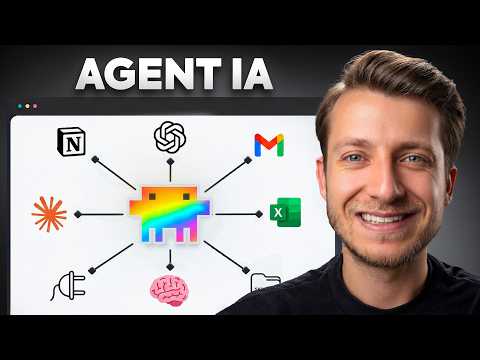
Actually: Step-by-step tutorial using Codex/Claude Code to automate reporting, emails, and presentations without coding.
🔎 What’s inside
⚡ The gist in 30 seconds
- Start by identifying the specific output tasks (reports, emails, data entries) before defining the agent's personality to ensure it remains focused and efficient.
- Use dedicated markdown files like Claude.md or Agents.md to provide the agent with deep context, including business rules, key metrics, and specific objectives.
- Connect the agent to your existing business tools (Google Drive, Gmail, ERPs) using MCP (Model Context Protocol) servers or plugins to enable real-world actions.
- Implement modular 'skills' to teach the agent complex procedures, such as following a brand design system or structuring a quarterly financial brief.
- Establish an orchestrator and automated loops to allow the agent to run autonomously on a schedule and self-improve based on its own performance logs.
⏱ Key moments click — the video jumps there
💰 Numbers
| Cities monitored | 10 major French cities (shown on screen) |
| PowerPoint length | 8 slides generated automatically (shown on screen) |
| Execution time | 23 minutes for the agent to complete the full quarterly reporting cycle (shown on screen) |
| Data scope | 3 months of financial data (January to March) (shown on screen) |
🛠 Tools from the video
🚀 How to apply it in your business
- Identify a repetitive reporting or communication task in your business that takes more than 2 hours a week.
- Create a context file (markdown) defining your business rules, brand guidelines, and the specific data sources the AI needs.
- Use Codex or Claude Code to connect your primary data tools (like Google Sheets or Airtable) to the AI environment.
- Draft a 'Skill' prompt that explains exactly how you want your final report or email to look.
- Set up a 'Memory' file so the agent can record your corrections and avoid repeating errors in the next run.
Who will this analysis save an hour?We’ll send the link with the “actually” takeaway — they won’t have to watch the whole video.
🎯 Who it’s for
❓ Questions and answers
How do I create an AI agent without coding?
You can use platforms like Codex or Claude Code which allow you to define an agent's behavior using natural language instructions. You provide the agent with 'context' files and 'skill' descriptions in markdown format, and the platform handles the underlying execution logic.
What is an MCP server in AI automation?
MCP stands for Model Context Protocol. it acts as a universal bridge that allows an AI agent to securely access and interact with your local files, databases, and web applications like Google Drive or Airtable.
Can an AI agent send emails and create slides?
Yes, by connecting the agent to tools like Gmail and PowerPoint via plugins or MCP servers, you can instruct it to draft emails based on data analysis and generate formatted slide decks following your brand guidelines.
How does an AI agent improve its own performance?
By implementing a 'Memory' file and a self-evaluation loop, the agent can review its own outputs, identify errors, and store user feedback. It consults this memory before every new task to ensure it doesn't repeat past mistakes.
What is the best way to start building an agent IA?
The best way is to start with a single, well-defined task. Identify the data inputs needed, the required output format, and the specific steps you currently take manually, then translate those into a 'Skill' for the agent.