All analyses › UDIA
You’re on YouTube for AI entrepreneurs. Read the analysis and decide whether the video is worth your time.All analyses →

Author’s title: What is an AI AGENT and HOW to build your own (COMPLETE TUTORIAL 2026)
Actually: Build a multi-agent marketing agency using Claude Code; automates research and invoicing in 10 minutes.
U
UDIA9K views · 4 mo ago
7/10
BUSINESS SCORE
📋 Step-by-step plan
✓ The analysis is enough. Great technical walkthrough if you are comfortable with CLI. This is a must-watch for business owners who want to move beyond simple chat prompts and build autonomous systems that actually interact with their business tools like Gmail, Calendar, and HubSpot. · video 20:42
🔎 What’s inside
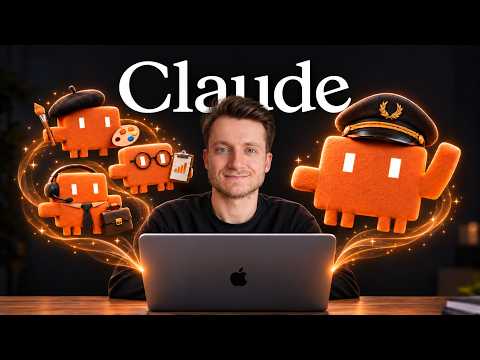
The video demonstrates how to use Claude Code and the Model Context Protocol (MCP) to build a multi-agent system that functions as a marketing agency, performing research, content creation, and administrative tasks.
Promise vs. reality
The title is accurate; it provides a conceptual definition of AI agents and a step-by-step technical tutorial on building a functional team of them.⚡ The gist in 30 seconds
- AI agents are distinct from standard LLMs because they receive high-level objectives, plan their own execution steps, and use external tools autonomously.
- Claude Code enables a hierarchical 'Director' structure where a main AI session delegates specialized tasks to sub-agents defined in markdown files.
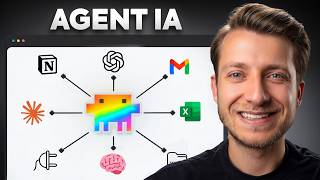
- The Model Context Protocol (MCP) serves as the 'hands' of the agent, allowing it to read/write to local files and connect to external APIs like Google Calendar or Slack.
- A complete business workflow can be automated by chaining agents: a Researcher gathers data, a Writer drafts content, an Editor reviews it, and an Operations agent schedules the output.
👤 Sergio from UDIA, an AI training platform specializing in practical business applications.
⏱ Key moments click — the video jumps there
Introduction to building an entire team of AI agents to operate a company.
Defining the difference between a simple AI chat and an autonomous agent.
Explanation of MCP (Model Context Protocol) as the bridge between AI and real-world tools.
Setting up specialized sub-agents (Researcher, Writer, SEO Editor) using markdown configuration files.
Live demonstration of agents collaborating: the Researcher passes a brief to the Writer.
The Operations agent uses MCP to prepare calendar events and email drafts for the client.
Adding a new 'Administration' agent on the fly to generate professional PDF invoices and budgets.
💰 Numbers
| Total project budget generated by agent | 3,146.00€ (shown on screen) |
| Researcher agent service fee | 650€ (author's claim) |
| Copywriting fee for 5 posts | 950€ (author's claim) |
| Time to generate full marketing plan and invoice | approx. 10 minutes (author's claim) |
Numbers are quoted from the video authors.
🛠 Tools from the video
Claude Code — CLI tool for building agentic workflowsMCP (Model Context Protocol) — standard for connecting AI to external softwareGoogle Calendar — used by agents to schedule content launchesGmail — used by agents to draft client communicationsHubSpot — CRM integration for agent data managementNotion — project management connector for agents
🚀 How to apply it in your business
- Install Claude Code and create a dedicated project directory for your business automation.
- Define your team roles (e.g., sales.md, support.md) with specific instructions and tool access.
- Configure MCP connectors for the specific tools your business uses (Slack, Drive, etc.).
- Run a 'Director' session to coordinate complex projects that require multiple agent hand-offs.
- Always include a 'human-in-the-loop' step for final approval before agents send emails or post content.
Who will this analysis save an hour?We’ll send the link with the “actually” takeaway — they won’t have to watch the whole video.
🎯 Who it’s for
⚠️ Watch out: The tutorial requires basic comfort with a command-line interface (CLI) to install and run the Claude Code environment.
❓ Questions and answers

Found a mistake in the analysis? Tell us what’s wrong and we’ll fix it.
Want analyses like this for your niche? We’ll send the best videos for your business.