All analyses › Matheus Borges
You’re on YouTube for AI entrepreneurs. Read the analysis and decide whether the video is worth your time.All analyses →

Author’s title: Understand EVERYTHING About AI Agents in 21 Minutes
Actually: Persistent agents on VPS automate business 24/7; costs ~$6/mo, setup takes about 1 hour.
M
Matheus Borges26K views · 2 mo ago
7/10
BUSINESS SCORE
📚 General overview
✓ The analysis is enough. Summary covers the technical stack and framework efficiently. The summary provides the essential conceptual differences, but the video is worth watching from 16:57 onwards to see the specific technical stack and the 'Skills' repository in action. · video 21:48
🔎 What’s inside
The video explains the conceptual and technical framework of autonomous AI agents, distinguishing them from simple chatbots. It details the 'Observe-Think-Execute' loop, the role of memory and context, and the specific technical stack (VPS, OpenClaw, MCP) required to run persistent agents for business automation.
Promise vs. reality
Honest. The video provides a comprehensive overview of AI agents, their architecture, and practical business applications within the stated time.⚡ The gist in 30 seconds
- AI agents differ from chatbots by executing multi-step processes autonomously rather than just responding to single prompts. While a chatbot writes a sales copy, an agent can research competitors, find distribution channels, and monitor results until a sale is generated.
- The 'Agentic Action' framework consists of three stages: Observe (analyzing context), Think (using memory to plan), and Execute (performing the task). Memory is the key differentiator, allowing the agent to learn from past results and improve its performance over time.
- Persistent agents are superior to session-based agents for business because they run 24/7 on a VPS. They can monitor data, such as ad performance or health metrics, and send proactive reports or decision guides to human managers at scheduled times.
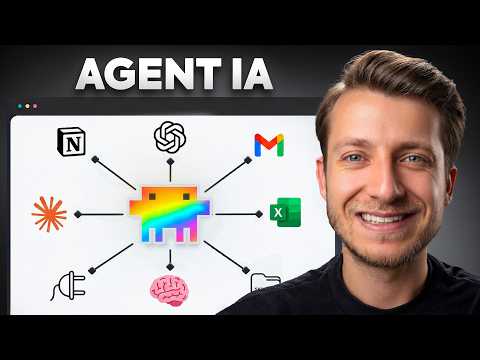
- The Model Context Protocol (MCP) serves as a universal translator, allowing agents to connect seamlessly with external tools like Gmail, Notion, and Google Drive without custom coding for every integration.
- A professional agent stack typically involves a VPS (Virtual Private Server), an orchestration framework like OpenClaw or Hermes, and a communication interface like Telegram or WhatsApp.
👤 Matheus Borges, an entrepreneur and AI specialist focused on business automation and scaling digital businesses.
⏱ Key moments click — the video jumps there
Comparison: Chatbots respond to commands; Agents execute end-to-end processes.
Integration example: Using an agent to monitor health data via Whoop API to adjust daily work routines.
The Agentic Loop: Observe (Context) -> Think (Memory) -> Execute (Result).
Practical demo: An agent researching 20 micro-influencers, finding contacts, and organizing them in a spreadsheet.
Explaining MCP (Model Context Protocol) as the universal connector for AI tools.
Defining 'Skills': Saved procedures that allow agents to perform specific tasks like VSL creation or ad auditing.
Persistent Agents: How they function as 24/7 employees in the background.
The Technical Stack: VPS + OpenClaw + Telegram + Codex/Claude Code.
Model selection: Why the author prefers OpenAI's Codex over Claude Code for agent 'brains' due to token efficiency.
💰 Numbers
| V | P |
| S | k |
| A | g |
Numbers are quoted from the video authors.
🛠 Tools from the video
OpenClaw — agent orchestration frameworkHermes — alternative agent orchestration frameworkMCP (Model Context Protocol) — standard for tool integrationClaude Code — Anthropic's coding-specialized modelCodex — OpenAI's model used for agent logicWhoop — health tracker integrated via APITelegram — interface for interacting with the agentVPS — hosting environment for persistent agents
🚀 How to apply it in your business
- Identify a repetitive manual process (like lead scraping or ad reporting) and map out the 5-10 steps an agent would need to take.
- Set up a VPS and install an orchestration framework like OpenClaw to move from session-based chats to persistent automation.
- Develop a 'Context Manual' for your agent, detailing your brand voice, negotiation limits, and business rules to ensure high-quality outputs.
- Connect your agent to business tools using MCP to automate data flow between Gmail, Notion, and your CRM.
Who will this analysis save an hour?We’ll send the link with the “actually” takeaway — they won’t have to watch the whole video.
🎯 Who it’s for
⚠️ Watch out: The video mentions 'Codex' as a current model for agents; ensure you check for the latest API versions (like GPT-4o or o1) as 'Codex' is often a legacy term in some contexts. Setting this up requires basic knowledge of servers and APIs.
❓ Questions and answers


Found a mistake in the analysis? Tell us what’s wrong and we’ll fix it.
Want analyses like this for your niche? We’ll send the best videos for your business.