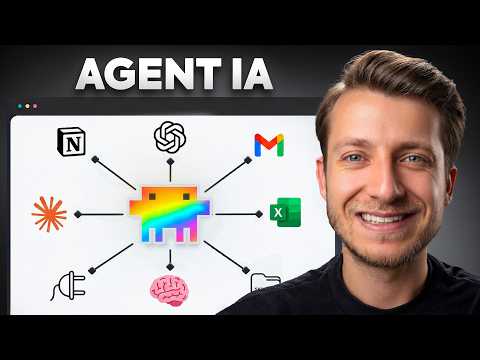
Actually: Setting up Claude Code via terminal to automate sales, quotes, and slides using multi-agent orchestration.
🔎 What’s inside
⚡ The gist in 30 seconds
- Transition from using a single AI assistant to supervising a multi-agent team where specialized agents handle distinct parts of a business process autonomously.
- Implement a central 'Claude.md' file to store persistent business rules, branding guidelines, and objectives that all agents in your project can reference.
- Orchestrate complex workflows by building a master agent that coordinates specialized sub-agents for tasks like calendar management, PDF quote generation, and stock checking.
- Maintain human-in-the-loop control by setting agents to prepare drafts in tools like Gmail or Airtable rather than sending communications automatically.
⏱ Key moments click — the video jumps there
💰 Numbers
| Setup time | 30 minutes (author's claim) |
| PDF analysis capacity | Up to 100 documents in Adobe PDF Spaces (shown on screen) |
| Sample quote total | 303,456.64 € (shown on screen) |
🛠 Tools from the video
🚀 How to apply it in your business
- Install the Claude Code desktop application and initialize a local project folder.
- Draft a 'Claude.md' file defining your company's specific roles, rules, and standard operating procedures.
- Create specialized agents for high-friction tasks like qualifying leads or drafting technical documents.
- Connect agents to your existing SaaS stack using MCP connectors for real-time data access.
- Build a master orchestrator agent to handle the logic of passing data between specialized agents.
Who will this analysis save an hour?We’ll send the link with the “actually” takeaway — they won’t have to watch the whole video.
🎯 Who it’s for
❓ Questions and answers
Comment créer un agent IA pour mon entreprise ?
Pour créer un agent IA, vous devez d'abord définir son rôle et ses outils dans un environnement comme Claude Code. Vous commencez par créer un fichier de contexte structuré qui contient vos règles métier, puis vous liez l'agent à vos applications via des connecteurs pour qu'il puisse agir sur vos données.
Qu'est-ce qu'une équipe d'agents IA ?
Une équipe d'agents IA est un système où plusieurs modèles spécialisés collaborent sur un même projet. Chaque agent s'occupe d'une tâche précise, comme la gestion du calendrier ou la rédaction de devis, tandis qu'un agent orchestrateur coordonne l'ensemble du flux de travail.
Peut-on créer un agent IA sans coder ?
Oui, il est désormais possible de créer un agent IA performant en utilisant uniquement le langage naturel. En fournissant des instructions claires et des fichiers de référence (comme des grilles tarifaires Excel), l'IA peut automatiser des processus complexes sans qu'aucune ligne de code ne soit écrite par l'utilisateur.
Comment l'IA peut-elle aider à préparer des réunions ?
Un agent IA peut scanner votre calendrier, extraire les informations des e-mails clients et préparer automatiquement une fiche de synthèse dans Notion. Après la réunion, il peut même analyser le compte-rendu pour mettre à jour votre CRM et préparer des brouillons de suivi.