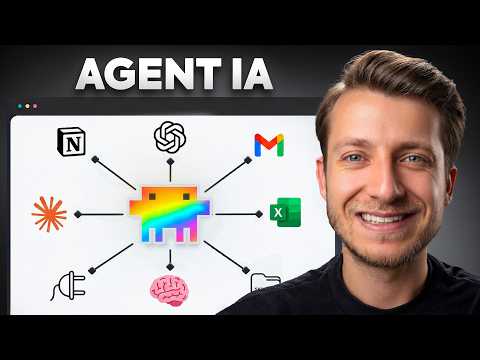
Actually: MCP standard links 2,300+ tools to AI; no-code setup via Claude or Codex registries.
🔎 What’s inside
⚡ The gist in 30 seconds
- MCP (Model Context Protocol) is an open standard that allows AI models to communicate with any service using a single 'language,' replacing the need for custom API integrations for every tool.
- For business owners, MCP enables AI agents to access internal documents, calendars, task trackers, and communication channels (like Telegram) to perform complex workflows autonomously.
- Users can connect services via pre-built plugins in platforms like Codex or Claude, or by finding specific MCP servers in public registries like mcp.so.
- Security is a critical concern; since MCP gives an agent access to your system, you should prioritize official MCP servers and ask the agent to verify the security of third-party scripts.
- The protocol is supported by major AI players like Anthropic (Claude), making it a future-proof standard for building AI-driven business automation.
⏱ Key moments click — the video jumps there
💰 Numbers
| MCP Servers available | 2,300+ (shown on screen) |
| Major AI companies supporting MCP | 3 (shown on screen) |
| Protocol versions | 1 universal standard (author's claim) |
🛠 Tools from the video
🚀 How to apply it in your business
- Identify a repetitive task that requires data from multiple apps (e.g., summarizing meetings and updating a CRM).
- Check if your AI platform (like Claude or Codex) has a built-in plugin for the required services.
- If no plugin exists, search mcp.so for an official MCP server for that specific service.
- Provide the MCP server link or command to your AI agent and follow its instructions to authenticate.
- Set up a 'confirmation step' where the agent must ask for permission before sending messages or deleting files.
Who will this analysis save an hour?We’ll send the link with the “actually” takeaway — they won’t have to watch the whole video.
🎯 Who it’s for
❓ Questions and answers
How to create an AI agent for my business?
Start by defining the specific data the agent needs to access. Use a platform like Codex or Claude and connect your business tools (Google Drive, Slack, etc.) using the Model Context Protocol (MCP) to allow the agent to read and write data across those apps without custom integration code.
What is the difference between API and MCP?
An API is a specific set of rules for one program to talk to another, requiring custom code for every connection. MCP is a universal 'translator' layer that sits on top of APIs, allowing an AI model to understand and use any service without the developer writing unique code for each one.
Is it safe to connect AI to my Telegram or Gmail?
It is generally safe if you use official MCP servers from trusted providers. However, you should always configure your agent to require manual confirmation before it performs 'write' actions, like sending an email or a message, to prevent errors or unauthorized actions.
Where can I find ready-made AI agent connections?
You can find a directory of pre-built connections at mcp.so or the official MCP Registry. These catalogs list 'MCP servers' that you can link to your AI agent to give it new capabilities, like searching the web with Exa or managing tasks in Linear.