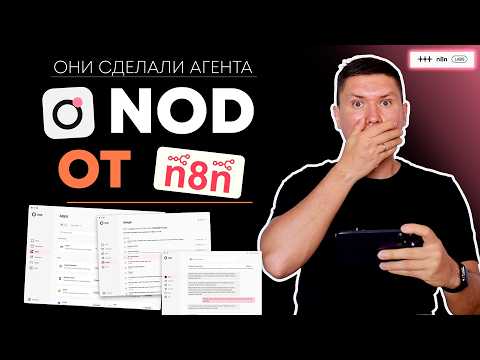
Actually: Local AI agent connects 229+ apps; use ChatGPT Plus to save API costs via desktop app.
🔎 What’s inside
⚡ The gist in 30 seconds
- n8n labs has released Nod, a desktop AI agent that runs locally on your Mac or Windows computer to ensure business data privacy.
- The tool allows users to connect multiple LLM providers like OpenAI, Anthropic, and Gemini, and uniquely supports using existing ChatGPT Plus subscriptions to save on API costs.
- Nod features a built-in browser that can navigate websites, perform searches, and handle logins to execute tasks like product research or data collection.
- It integrates directly with n8n's ecosystem, allowing users to trigger over 3,300 existing automation templates through a simple chat or voice interface.
- Interaction is flexible, supporting text and voice commands through the desktop app or synced messaging channels like Telegram and WhatsApp.
⏱ Key moments click — the video jumps there
💰 Numbers
| Available app integrations | 229 (shown on screen) |
| n8n user automation templates | 3,300+ (author's claim) |
| Monthly allowance for automatic preparation | $5 (shown on screen) |
🛠 Tools from the video
🚀 How to apply it in your business
- Download and install the Nod application from n8n.io/nod for your operating system.
- Connect your OpenAI or Anthropic account to provide the agent with 'intelligence'.
- Link your Gmail or Outlook account to enable the agent to summarize and draft business emails.
- Set up a Telegram bot to send tasks to your desktop agent while you are away from your computer.
- Import your most-used n8n workflows into Nod to make them accessible via natural language commands.
Who will this analysis save an hour?We’ll send the link with the “actually” takeaway — they won’t have to watch the whole video.
🎯 Who it’s for
❓ Questions and answers
What is n8n Nod?
Nod is a personal AI agent for your desktop, created by n8n labs. It runs locally on your computer, allowing it to interact with your files, browser, and apps securely without sending all your data to the cloud.
How does Nod protect business data?
Nod processes information locally on your machine. It only communicates with LLM providers for specific queries you authorize, and it includes a 'Vault' for encrypted storage of sensitive credentials and payment info.
Can I use Nod for free?
The video shows that you can use your existing ChatGPT Plus or Pro subscription within Nod, which helps avoid the per-token costs associated with standard API usage.
How do I automate tasks with n8n Nod?
You can use natural language (text or voice) to tell Nod what to do. It can draft emails, search the web using its own browser, or trigger complex n8n workflows that you have already built or imported from templates.
Does Nod work on mobile?
While Nod is a desktop application, you can interact with it via mobile through Telegram or WhatsApp integrations. You send a message to your bot, and the desktop app executes the task.


